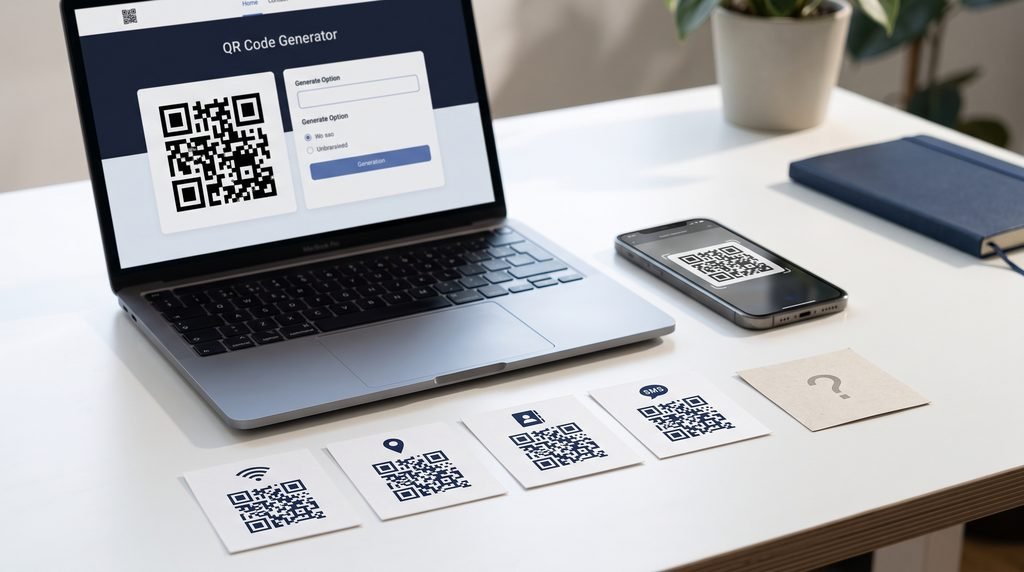
Use a QR barcode generator to create Wi-Fi, location, vCard and SMS QR codes in minutes. Follow our simple step-by-step guide with pro tips.
You’ve just had friends over, and for the third time this evening someone asks, “What’s the Wi-Fi password again?” Or a customer rings your shop to say they’re standing outside a different unit on the same industrial estate. Or you hand over a business card and the other person types your number in wrong.
A QR code fixes all three problems with one scan. A good QR barcode generator turns a Wi-Fi password, a map pin, your contact details or a pre-written text message into a square code that any modern phone camera can read. No app is needed.
This QR barcode generator guide walks you through four of the most useful types: Wi-Fi, location, vCard and SMS. You’ll also find the mistakes that make codes fail and the print sizes that keep them scannable. It takes about five minutes to follow.
Key takeaways
- Wi-Fi, vCard and SMS codes are static, so they work forever and can’t be tracked or edited.
- Most failed scans come from four causes: wrong Wi-Fi encryption type, swapped latitude and longitude, a missing country code, or a code printed too small.
- Always test codes from any QR barcode generator on both an iPhone and an Android phone before printing.
Jump to your QR type: Wi-Fi | Location | vCard | SMS

1-QR Barcode Generator Explained: How It Works
A QR code is a two-dimensional barcode. That’s why many people search for a “QR barcode generator” instead of a “QR code maker”. Both phrases mean the same tool: a web page where you type in some information and get back a scannable image.
Behind the scenes, the QR barcode generator converts your text into a pattern of black and white squares. It adds error-correction data so the code still works if part of it is scuffed or covered. Your phone’s camera reads the pattern and decides what to do with it: join a network, open a map, save a contact or start a text.
The format was created in 1994 by Denso Wave, which still owns the trademark and publishes the official QR code specifications.

1.1-QR Barcode Generator vs Standard Barcode: Key Differences
The stripy barcode on a cereal box is one-dimensional (1D). It stores data in one direction and typically holds only 8 to 25 characters. A QR code is two-dimensional (2D). It stores data horizontally and vertically, and can hold up to 7,089 numeric characters.
| Feature | QR code | Traditional barcode |
|---|---|---|
| Dimensions | 2D | 1D |
| Capacity | Up to 7,089 digits | About 8-25 characters |
| Scan angle | Almost any | Needs alignment |
| Error correction | Yes, up to about 30% damage | No |
| Best for | URLs, Wi-Fi, contacts, locations | Product IDs, stock numbers |
If you only need to label products for a till, a free barcode generator that makes standard barcodes (EAN, UPC, Code 128) is the right tool. For everything in this guide, you need a QR code.
1.2-Static vs Dynamic QR Codes
A static QR code stores your data directly in the pattern. It never expires, but you can’t edit it after printing and you can’t track scans, however good your QR barcode generator is. A dynamic code points to a short link that you can change later, and it usually comes with scan analytics. It’s normally a paid feature.
Wi-Fi, vCard and SMS codes are almost always static, and any QR barcode generator can make them. Location codes can be either, depending on whether you encode raw coordinates or a link.

2-Before You Start: What You Need
Have this information ready and each code from your QR barcode generator takes under a minute.
| QR type | What you need |
|---|---|
| Wi-Fi | Network name (SSID), password, security type |
| Location | Address or latitude and longitude |
| vCard | Name (required), phone, email, company, job title, website |
| SMS | Phone number with country code, optional pre-written message |
Choose a QR barcode generator that covers all four types, exports PNG and SVG, and doesn’t force you to register. If you want to generate barcode online without creating an account first, check that before you start typing. Some tools ask for sign-up only at the download stage, after you’ve done all the work.

3-Create a Wi-Fi QR Code With a QR Barcode Generator
A Wi-Fi QR code from a QR barcode generator lets guests join your network by pointing their camera at it. Think Airbnb hosts, café owners, dentists’ waiting rooms and anyone tired of reading out a 16-character password.
Steps:
- Open your QR barcode generator and select Wi-Fi.
- Enter your network name (SSID) exactly as it appears on a phone. It’s case-sensitive.
- Enter the password. Leave it blank if the network is open.
- Choose the encryption type (see below).
- Tick Hidden network only if your router doesn’t broadcast its name.
- Customise the colours if you like, then download.
A real example: A Manchester Airbnb host prints her Wi-Fi code on an A5 card in the welcome pack. Before, she answered the same message from nearly every guest within an hour of check-in. After, those messages dropped to almost none.
3.1-Right Encryption Type in Your QR Barcode Generator
This setting causes more failed Wi-Fi codes than anything else. Your options are usually None, WEP, WPA/WPA2 and WPA3.
- Most home and business routers made in the last decade: choose WPA/WPA2.
- Newer routers (Wi-Fi 6 and later) set to WPA3: choose WPA3.
- Not sure? Log in to your router’s admin page (the address and login are often on a sticker on the router) and look under Wireless or Security settings.
If the code scans but the phone says it can’t join, the encryption type is the first thing to check.
For a plain-English explanation of WPA2 and WPA3, see the Wi-Fi Alliance security overview.
3.2-Wi-Fi QR Code Security Tips
- Use your guest network. Most routers let you create a separate one. Guests get internet without access to your printers, smart devices or shared files.
- Don’t put the main network code on a public wall. Anyone who can see it can join.
- Changed your password? The old code stops working. Generate a new one.
3.3-Where to Display It
Frame it in the hallway, put it on table tents in a café, tape it behind the reception desk, or slip it into a welcome pack. Add a short label such as “Scan to join Wi-Fi” so people know what it does.

4-Create a Location QR Code With a QR Barcode Generator
A location QR code from a QR barcode generator opens a pin on the scanner’s map app. It suits shops hidden down side streets, wedding venues, open houses, market stalls and delivery drop-off points.
Steps:
- Select Location in your QR barcode generator.
- Enter the latitude and longitude.
- Generate the code and scan it yourself to confirm the pin lands in the right spot.
- Download.
How to find coordinates:
- On desktop: open Google Maps, right-click the exact spot, and click the numbers at the top of the menu to copy them.
- On mobile: long-press the spot to drop a pin. The coordinates appear in the search bar or the details panel.
Google’s own walkthrough, Find the coordinates of a place, covers both desktop and mobile.
A real example: A farmers’ market stall in Brooklyn moves between three car parks over the season. Dropping a pin at the exact trading spot each week and printing the code on the banner means regulars find the stall without messaging the organiser.
4.1-Location QR Code vs Google Maps Link
Coordinates are precise and work offline. They show a bare pin, though, with no business name, reviews or opening hours. A Google Maps share link shows all of that, plus directions.
- Use coordinates for places without a street address, such as a field, trailhead or festival entrance.
- Use a Google Maps link in a URL QR code for businesses, because customers see your name, photos and hours.
4.2-Creative Uses for Location QR Codes
- Wedding invitations pointing to a rural venue that sat-navs struggle with
- Estate agent boards showing the property itself, with no need to type an address
- Festival tickets marking the right gate
- Walking-trail markers that open the route start point
Watch out for this: Latitude comes first, longitude second. In the UK, longitude is often negative (west of the Greenwich meridian), so a missing minus sign can put your pin in the wrong country. In the US, both numbers are usually negative for latitude-west locations such as New York (about 40.7, -74.0).

5-Create a vCard QR Code With a QR Barcode Generator
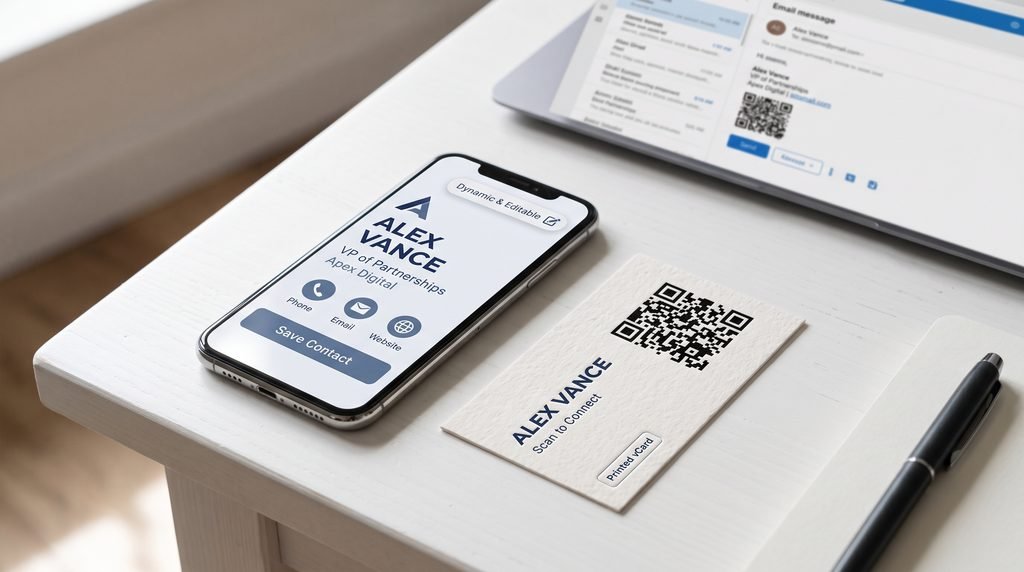
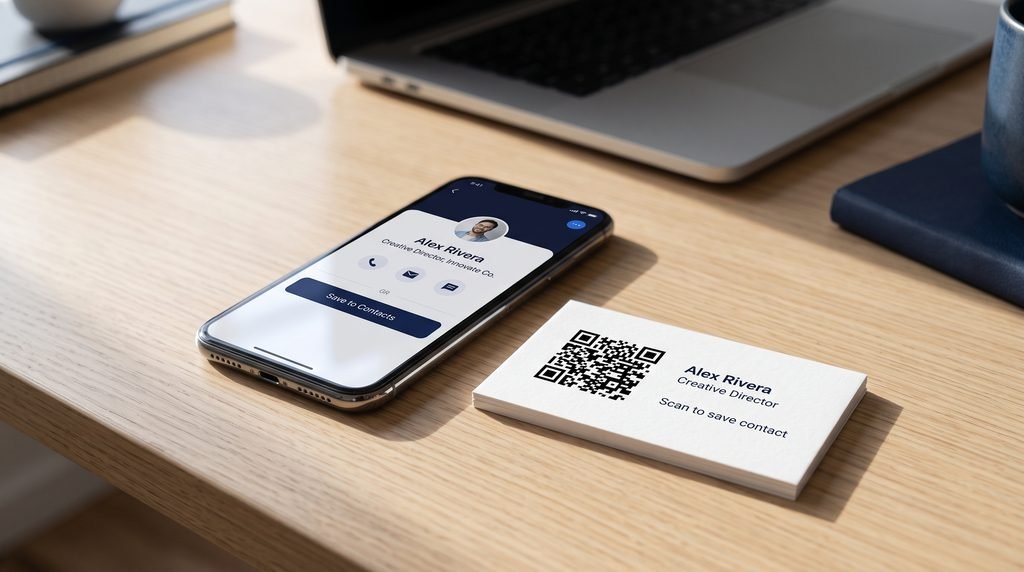
A vCard QR code from a QR barcode generator saves your contact details straight into someone’s phone. It’s the fastest way to share a number at a networking event, because nobody has to type anything.
Steps:
- Select vCard in your QR barcode generator.
- Enter your name (required), then add phone, email, company, job title and website.
- Customise the design, then download.
A real example: A self-employed electrician in Leeds added a vCard code to the back of his van and his business cards. Customers now save his number while they’re still on the driveway, instead of photographing the van and calling later.
5.1-What to Include (and What to Leave Out)
Every extra field makes the code denser, and denser codes are harder to scan, especially when small. Stick to the essentials: name, mobile number, email, company and website. Skip your home address and any number you don’t want strangers to have. A vCard QR code is public to anyone who scans it.
5.2-Adding Your vCard QR Code to Business Cards, Email Signatures and LinkedIn
- Business cards: Print at least 2 × 2 cm (about 0.8 inches). On the back is usually best, so the front stays clean.
- Email signatures: Use a PNG at about 150 pixels wide.
- LinkedIn: Add it to your banner image or the Featured section, with “Scan to save my contact” next to it.
5.3-vCard vs Dynamic Digital Business Card
A static vCard is fixed. If you change your number, every printed card is out of date. A dynamic digital business card from a QR barcode generator lets you edit your details without reprinting and shows how many people scanned it. If you hand out hundreds of cards a year, the dynamic version usually pays for itself.
6-Create an SMS QR Code With a QR Barcode Generator
An SMS QR code from a QR barcode generator opens the scanner’s messaging app with your number and a message already filled in. They just press send. It works well for competitions, appointment bookings, “text to join” lists and feedback requests.
Steps:
- Select SMS in your QR barcode generator.
- Enter the phone number with the country code: +44 for the UK and +1 for the US. For a UK mobile such as 07700 900123, drop the leading zero and enter +447700900123.
- Type the message you want pre-filled.
- Customise and download.
6.1-SMS QR Code Message Ideas
- A restaurant window: “Hi, I’d like to book a table for 2 tonight.”
- A gym poster: “Send me the free trial pass.”
- A salon: “Please send me your next available appointment.”
- A charity stall: “Add me to the volunteer list.”
Keep the message short. Every character you add makes the code denser.
6.2-Compliance Note for US and UK Businesses
If you collect numbers for marketing, you need to follow the rules. In the US, that’s the Telephone Consumer Protection Act (TCPA). In the UK, it’s PECR and UK GDPR. A person texting you first isn’t the same as consenting to ongoing marketing messages, so make that clear. This is general information, not legal advice, so check the FTC or ICO guidance for your situation.
Official guidance: the ICO’s direct marketing guidance for the UK, and the FCC’s guide to unwanted texts and calls for the US.
7-How to Customise Your QR Code in a QR Barcode Generator
A QR barcode generator lets you add colours, a logo and a frame, but readability comes first.
- Keep strong contrast. Dark code on a light background works best. Don’t invert the colours (light on dark), because some scanners fail on inverted codes.
- Use error correction. QR codes have four levels: L, M, Q and H. Level H can survive up to about 30% damage, which is why you can overlay a small logo. Keep the logo small, though, ideally no more than 20% of the code’s area.
- Add a call to action. A frame saying “Scan to connect” or “Scan to save contact” can noticeably improve scan rates, because people know what to expect.
Plenty of QR barcode generator tools will let you build something pretty that won’t scan. If you’re picking colours, test the contrast first.

8-QR Barcode Generator Best Practices: Size, Printing and Testing
- Minimum size: about 2 × 2 cm (0.8 × 0.8 in) for handheld use. For posters, a good rule is one unit of width for every ten units of scanning distance. A code on a wall meant to be scanned from 1 metre away should be roughly 10 cm wide.
- File type: Download SVG for print because it stays sharp at any size. Use PNG for websites and email.
- Quiet zone: Leave a clear white border around the code, at least four squares wide. Text or images crowding the edge can stop scans.
- Surface: Avoid curved bottles, shiny laminate that reflects light, and anything that creases.
- Test properly: Scan the printed proof from your QR barcode generator on at least one iPhone and one Android phone, in the lighting where it will actually be used.

9-Common QR Code Mistakes and How to Fix Them
Almost every failed scan traces back to a few settings in your QR barcode generator or to how the code was printed. Check these first.
| Problem | Likely cause | Fix |
|---|---|---|
| Wi-Fi code scans but won’t connect | Wrong encryption type or typo in password | Check the router settings, retype the password, regenerate |
| Location opens the wrong place | Latitude and longitude swapped, or missing minus sign | Re-enter the coordinates and test |
| vCard won’t save | Too many fields, or the code is too small | Remove optional fields, print larger |
| SMS app opens with no number | Missing country code | Add +44 or +1 |
| Code is hard to scan | Low contrast, too small, no quiet zone | Use dark on light, enlarge, add a white border |
10-Best QR Barcode Generator: What to Look For
Features that matter:
- Supported types: Wi-Fi, location, vCard and SMS in one place
- No forced sign-up: a free QR code generator no sign up saves you from handing over an email address just to download an image
- Export options: PNG, SVG and ideally PDF
- No expiry on static codes: some tools quietly deactivate free codes after a trial
- Privacy: check whether the tool stores the data you enter, especially Wi-Fi passwords
- Honest pricing: free for static codes is normal. Charges for dynamic codes and analytics are fair, but they should be stated up front.
Whatever QR barcode generator you pick, create one test code first and confirm it scans before you commit to a print run.

11-Are QR Codes Safe?
QR codes themselves are harmless, whichever QR barcode generator you use. The risk is where they lead.
The US Federal Trade Commission has a useful alert on how scammers hide harmful links in QR codes.
- Check the destination. Most phones show a preview of the link before opening it. Read it.
- Watch for sticker overlays. Scammers sometimes stick a fake code over a real one on parking meters, posters and restaurant tables. This is called “quishing”. If a code looks like a sticker on top of another code, don’t scan it.
- Protect your own codes. If you display a code publicly, check it regularly to make sure nobody has covered it.

12-Conclusion: Create Your Codes With a Free QR Barcode Generator
Wi-Fi, location, vCard and SMS codes each solve one small, annoying problem: typing a password, finding an address, saving a contact, starting a message. The difference between a code that works and one that frustrates people comes down to a few details: the right encryption type, correct coordinates, a country code, enough contrast and a sensible print size.
Pick the type you need, follow the steps above, and test the finished code on two phones. A good QR barcode generator takes about a minute to set up, and for these four types you don’t need to pay or install anything.
If you only need product labels, a free barcode generator is enough. For everything else in this guide, use a tool that lets you generate barcode online in seconds, with no app and no account. A free QR code generator no sign up also means you can download your Wi-Fi, location, vCard or SMS code straight away: PNG for screens, SVG for print.
Ready to start? Try our free QR barcode generator and create your first code now.

Frequently Asked Questions
1-What is a QR barcode generator?
It’s an online tool that converts text, links, Wi-Fi details, locations or contact information into a scannable QR code, which is a type of 2D barcode. You enter the data, customise the look if you want, and download the image.
2-Is a QR code the same as a barcode?
Not exactly. A QR code is a 2D barcode that holds much more data and can be scanned from any angle. A traditional barcode is 1D, stores a short number, and needs a proper scanner or aligned camera.
3-Can I create a Wi-Fi QR code for free?
Yes. Wi-Fi codes are static, so most QR barcode generator tools let you create them free. Look for a free QR code generator no sign up so you can download without creating an account.
4-Do Wi-Fi QR codes work on iPhone and Android?
Yes. iPhones running iOS 11 or later read them through the Camera app. Most Android phones (Android 10 and later) can scan them with the built-in camera or Google Lens.
5-What’s the best way to create a location QR code?
For exact spots, use latitude and longitude. For businesses, use a Google Maps share link inside a URL QR code, because it shows your name, hours and directions.