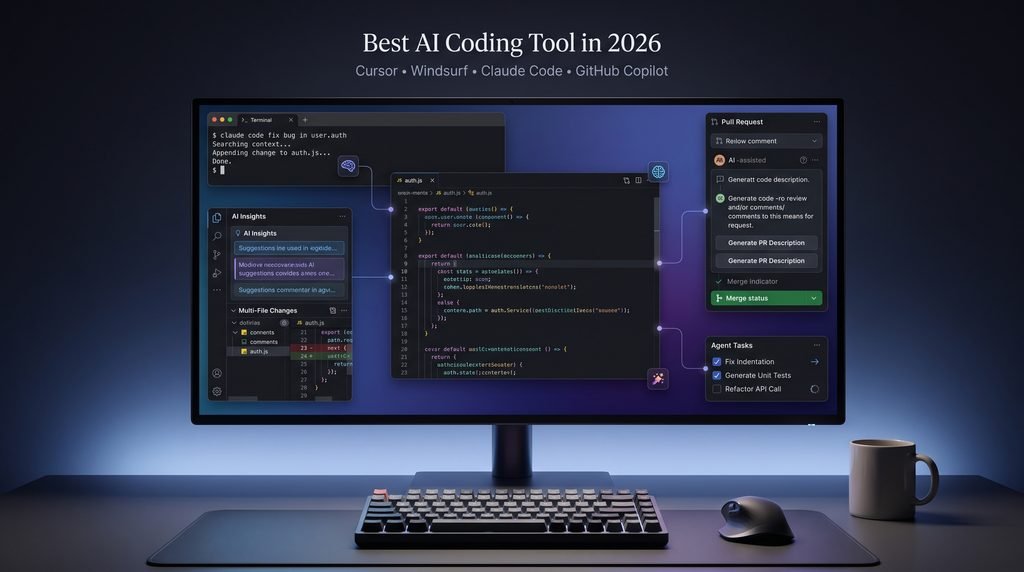
The best AI coding tool in 2026? We compare Cursor, Windsurf, Claude Code and GitHub Copilot on price, features and use cases. Find your pick.
Choosing an AI coding tool in 2026 is harder than it sounds. Cursor lives in your editor, Claude Code runs in your terminal, GitHub Copilot plugs into GitHub, and Windsurf lets background agents work while you do something else.
The stakes are real: JetBrains’ 2025 survey found that 85% of developers already use AI tools regularly. The right pick saves hours every week, while the wrong one racks up usage charges.
Below, we compare all four on features, real pricing and who each one suits, so you know which to try first
1-Best AI Coding Tool in 2026: Cursor vs Windsurf vs Claude Code vs GitHub Copilot
Choosing an AI coding tool used to mean picking an autocomplete plugin. In 2026 it means choosing between tools that work in completely different ways: one lives in your editor, one runs in your terminal, one is wired into GitHub, and one lets you hand work to background agents while you do something else.
Getting it right matters. JetBrains research, as cited by Orbix Studio, puts regular AI use among developers at around 90%, so the question is no longer whether to use one but which. The right pick saves hours every week. The wrong one racks up usage charges and leaves you cleaning up messy code.
This guide compares Cursor, Windsurf, Claude Code and GitHub Copilot, four of the best-known AI programming tools, on how they work, what they really cost and who each suits.
1.1-Quick Verdict: AI Coding Tool Should You Choose?
- Our Pick for Each Type of Developer
- Cursor: best all-rounder for daily development.
- Windsurf: best for managing several agents in one place.
- Claude Code: best for migrations, deep debugging and multi-file refactors.
- GitHub Copilot: best value, especially for GitHub teams.
- Can You Use More Than One?
- Many developers pair an editor (Cursor or Copilot) with Claude Code for heavy tasks.
- Tight budget? Start with our guide to the best free AI coding tools.
1.2-Cursor vs Windsurf vs Claude Code vs GitHub Copilot at a Glance
Feature and Pricing Comparison Table
| Cursor | Windsurf | Claude Code | GitHub Copilot | |
|---|---|---|---|---|
| Type | AI editor (VS Code-based) | AI-native IDE | Terminal agent | Extension + GitHub platform |
| Best for | Daily development | Agent-driven workflows | Complex engineering | GitHub teams, value |
| Free plan | Yes (Hobby) | Yes | No (Claude plan or API credits) | Yes |
| Paid from | ~$20/mo (~£15) | ~$20/mo (~£15) | Claude Pro ~$17-20/mo (~£13-15) or pay-per-use API | ~$10/mo (~£8); Business ~$19/user |
| Model choice | OpenAI, Anthropic, Google, others | Anthropic, OpenAI, Gemini, xAI, DeepSeek, others | Claude models | Multiple models |
| Learning curve | Low | Low to medium | Medium (terminal) | Very low |
Prices are approximate, exclude UK VAT, and £ figures are rough conversions. All four tools also have usage-based costs. Check each official pricing page before buying.
- Winners by Category
- Best overall: Cursor
- Best value: GitHub Copilot
- Best for beginners: Copilot or Cursor
- Best for large codebases: Claude Code
Not sure which criteria matter for you? Read how to choose the right AI coding tool.
2-AI Coding Tool? (And the 3 Types to Know)
- Definition
An AI coding tool (sometimes called an AI programming tool) is software that uses large language models to write, explain, fix or review code.

2.1-The 3 Types of AI Coding Tools
- Type 1: AI Code Assistants
- Suggest the next line or block as you type.
- Early GitHub Copilot was exactly this.
- Type 2: AI IDEs
- Understand your whole project and edit several files from one instruction.
- Let you chat with your codebase.
- Examples: Cursor and Windsurf.
- Type 3: Coding Agents
- Take a task, make a plan, edit files and run commands and tests.
- Read errors and keep iterating.
- Clearest example: Claude Code (Cursor and Copilot now have agent modes too).
- Which Type Do You Need?
- Want speed while typing: type 1 or 2.
- Want to hand off a task and review the result: type 3.
For a deeper breakdown, see AI coding tool vs AI agent vs AI IDE.

2.2-We Tested These AI Coding Tools
- Ranking Criteria
- Codebase understanding: does it grasp how your files connect?
- Code generation quality: correct, consistent with your style, easy to review?
- Autonomy: can it run commands, test its work and fix errors?
- Speed and context size: can it handle a big project?
- Model choice: can you switch models by task or cost?
- Privacy and control: what happens to your code?
- Real cost: what you pay with proper use, not the headline price.
2.3-Our Four Test Tasks
- Add a small feature to an existing app.
- Fix a bug in an unfamiliar repo.
- Write tests for an untested module.
- Rename and refactor something used across many files.
Test Results

3-Cursor Review: The Best AI Coding Tool for Everyday Development
Cursor is an editor built on VS Code, so your extensions, themes and shortcuts mostly carry over. AI sits at the centre of the workflow rather than being bolted on.
What Cursor Does Well
- Multi-File Edits From One Prompt
- Example: “Add a
createdAtfield to the User model, then update every API route and test that uses it.” - As an AI code generation tool, its real strength is coordinated changes across many files.
- Codebase-Aware Answers
- Ask “where do we validate email addresses?” and get an answer from your repo.
- Parallel Agents and Model Switching
- Run up to 8 agents on separate tasks, such as fixing a bug while another writes tests.
- Choose models from OpenAI, Anthropic, Google and others.
- Composer supports a 200K-token context window.

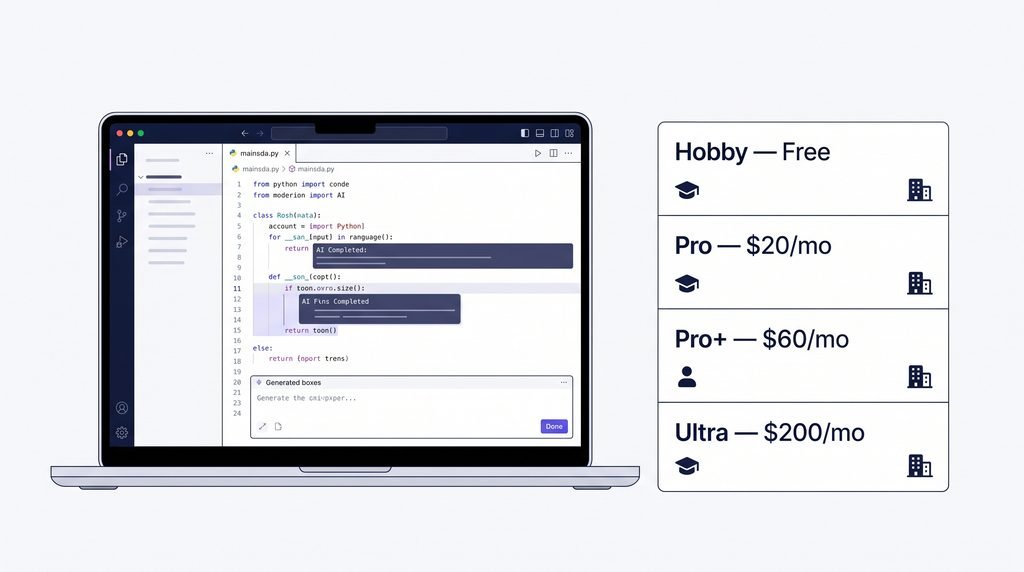
Cursor Pricing
- Hobby: free
- Pro: about $20/month
- Pro+: about $60/month
- Ultra: about $200/month
3.1-Where Cursor Falls Short
- Heavy agent use gets expensive; check your usage dashboard from week one.
Who Should Use Cursor?
Best For
- Freelancers and startup developers.
- Anyone wanting one AI editor for most jobs.
Not Ideal For
- JetBrains loyalists.
- Anyone needing tight, predictable spending.
3.2-Windsurf Review: The AI-First IDE With Built-In Agents
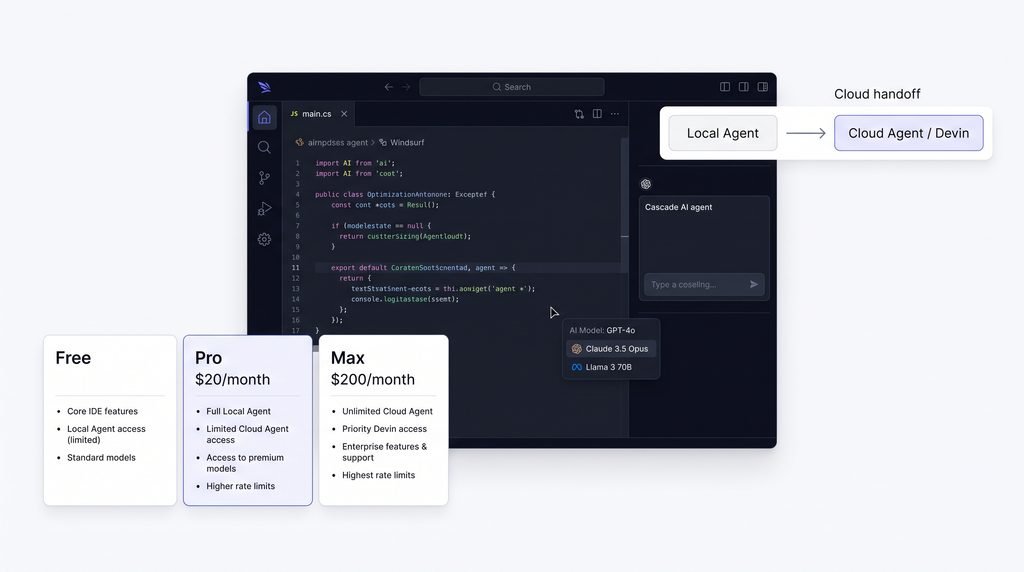
Windsurf is an AI-native IDE built around its Cascade agent. Its 2.0 release added an Agent Command Center for managing local and cloud agents in one place.
What Windsurf Does Well
- Cascade Agent
- Edits files, uses the terminal and handles multi-step tasks with project context.
- Cloud Handoff to Devin
- Pass long jobs to Devin, which works in its own virtual machine.
- Example: hand off “migrate this module to the new API client” before lunch and review the pull request later.
- Easy Switching and Model Support
- Supports JetBrains; Cursor users can import keybindings in one click.
- Works with Anthropic, OpenAI, Gemini, xAI, DeepSeek and Cognition models.
Windsurf Pricing
- Free tier available.
- Pro: about $20/month, with usage-based pricing for heavy agent use.
- Verify current plan names on Windsurf’s pricing page before publishing.
4-Where Windsurf Falls Short
- The agent ecosystem can feel like a lot if you only want autocomplete and chat.
Final Verdict: Which One Should You Pick?
There’s no single winner for everyone, but there is a right AI coding tool for how you work:
- Best overall: Cursor. The easiest way to get strong AI help in your daily coding.
- Best for complex engineering: Claude Code. Choose it for big refactors, migrations and stubborn bugs.
- Best value: GitHub Copilot. The cheapest way to start, especially if your team already uses GitHub.
- Best for agent-heavy workflows: Windsurf. A good fit if you want to manage several agents from one place.
Frequently Asked Questions
1-What is the best AI coding tool in 2026?
For most developers, Cursor is the best all-round pick. Claude Code is best for complex tasks, Copilot for value, and Windsurf for agent management. The right choice depends on your workflow and budget.
2-Is Cursor better than GitHub Copilot?
Cursor is more capable for multi-file edits and agent workflows. Copilot is cheaper and integrates better with GitHub. If budget matters most, choose Copilot. For the deepest AI editing experience, choose Cursor.
3-Is Claude Code worth paying for?
If you regularly tackle large refactors, hard bugs or multi-step tasks, yes. If you mainly want inline suggestions while typing, an editor-based tool will suit you better and cost less.
4-What is the best free AI coding tool?
GitHub Copilot Free and Cursor’s Hobby plan are the strongest free starting points. Open-source tools like Aider are free, but you pay for whichever AI model you connect.
5-Can AI coding tools replace developers?
Not in the near term. No AI programming tool can own architecture, security or product decisions. They’re strong at generating, refactoring and explaining code, but people still review the output and own quality.
6-Which AI coding tool is best for beginners?
Copilot Free is the easiest AI code assistant to start with, and Cursor Hobby is a good second option. Both are simple to set up, and you can ask them to explain code you don’t understand instead of just copying it.
7-Can I use more than one AI coding tool together?
Yes, and many developers do. A typical combination is an editor like Cursor or Copilot for daily work plus Claude Code for larger tasks. Just make sure the combined subscriptions don’t add up to more than you need.
